 Projects
 Next
Show a project's progress on a public page, or on your own website
Give any project in Projects or Next a public page that anyone opens with a link, without an account. On Pro, embed it on your own website, where it moves when the project does.
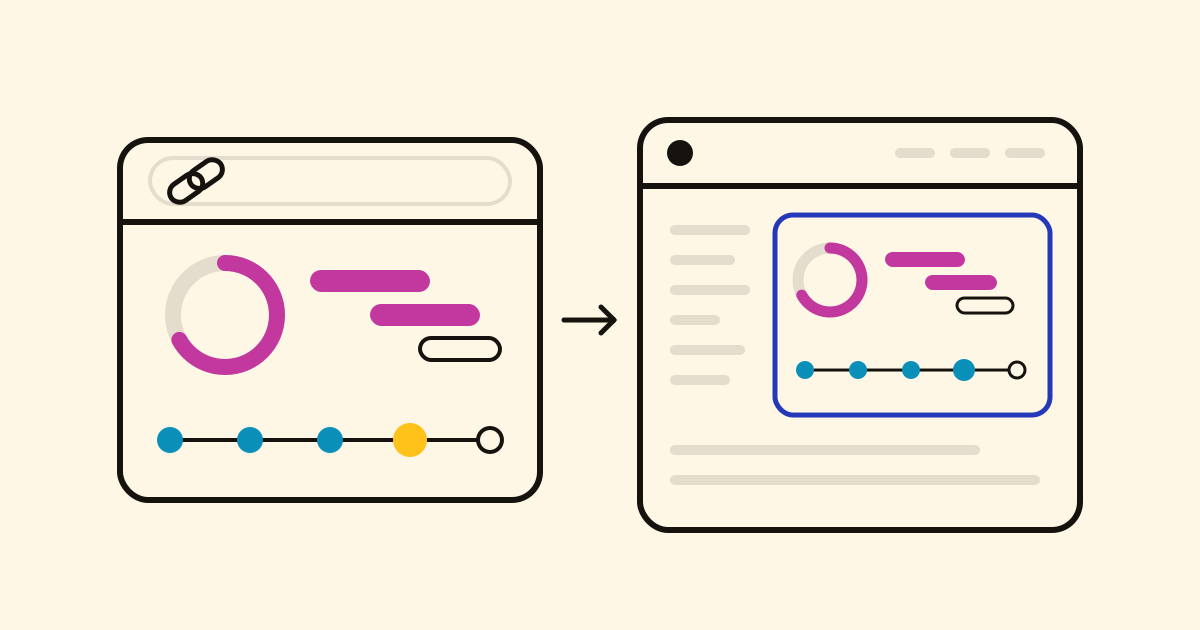
Clients, backers and partners all ask "how's it going?", and an answer by email is old the next day. Turn on a project's public page and send the link: whoever opens it sees the project as it stands now, read-only, without an account or installing anything.
What it shows
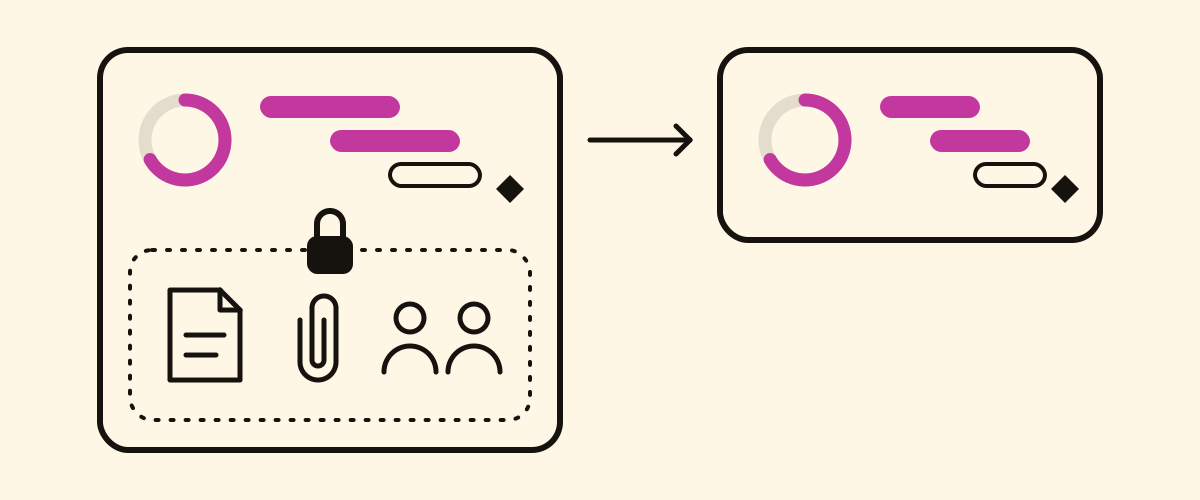
- In Projects: the progress, the target date and the timeline, with every phase, its tasks, dates and milestones. Never the notes, the files or who has each task.
- In Next: every step taken and what comes next, on every open path, as your AI agent logs them. Never a step's detail, nor who is working on it.
Turning it on and off
- Only the project's owner can turn it on or off. It comes with every project, on the Free plan too.
- Turn it off and the link stops working. Turn it on again and you get a new link, so an old one never comes back to life.
On your own website, with Pro
Open the public page from the globe at the top of the project and copy the code under Embed in a website:
<iframe src="https://work.cronumstudio.com/projects/shared.html?p=…&embed=1"
  title="Our second café" width="100%" height="720"
  style="border:0;border-radius:12px" loading="lazy"></iframe>
Paste it into your portfolio, a client's intranet or your campaign's updates. Move a date in Projects or log a step in Next, and it moves there too. Embedded on Pro, it shows no Cronum Work mark; turn the public page off and it stops showing.
With your assistant connected to Cronum Work, every date you move and every step it logs is on the public page at once, so you send the link only once.